
5USDTone-time
Up to 60,000 mails during the 24 hours following purchase.
- All six task lanes
- Every message format
- Delivery health and tracking tools
MailMex works beside you in the browser to compose, personalize, send, and track Gmail campaigns—without the tab chaos.
Open MailMex ↗
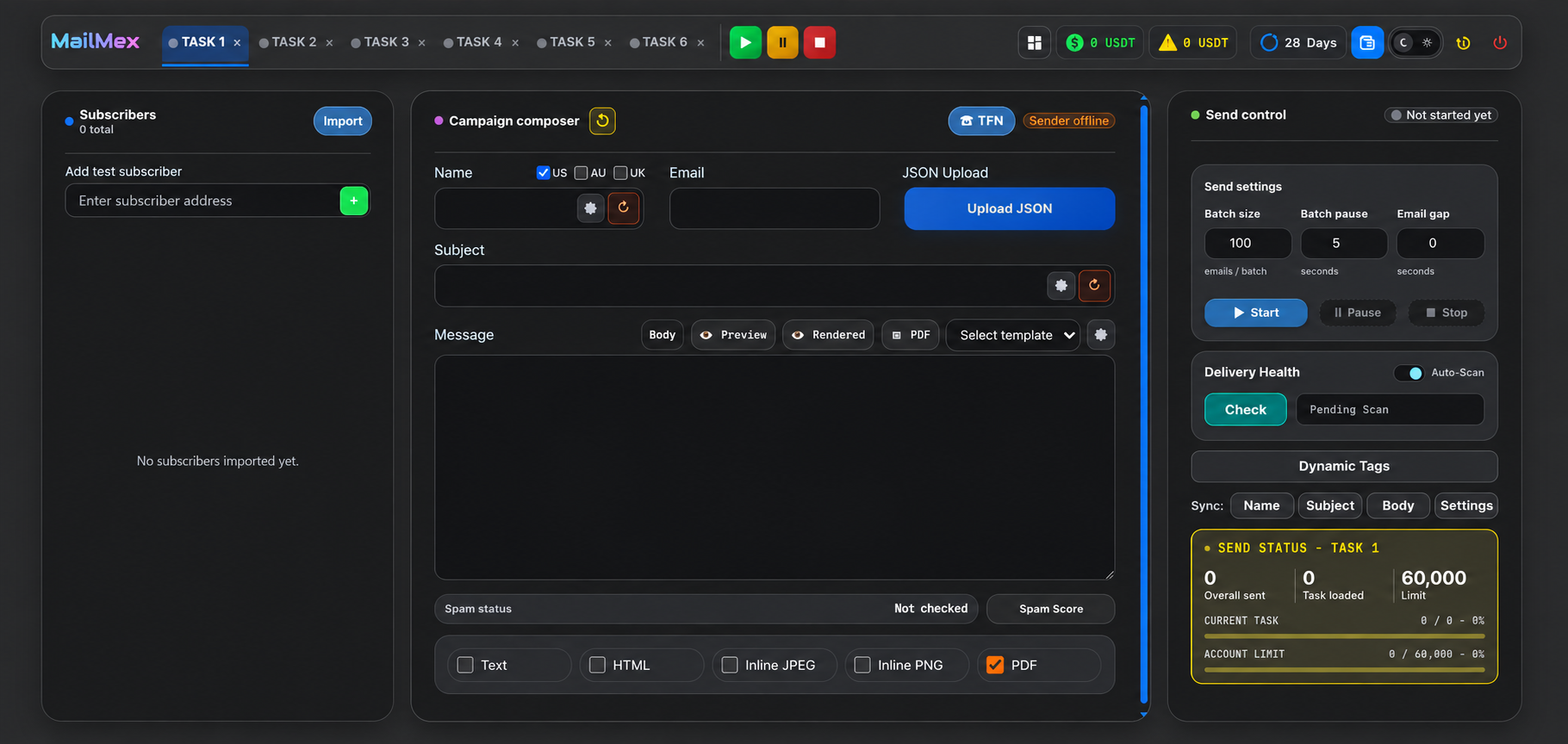
Subscribers, content, sender connections, send controls, and delivery health stay visible in one workspace.
Turn one campaign into recipient-specific subjects, bodies, images, and PDFs with dynamic tags.
Start six isolated queues, control their pace, and watch each send move from ready to complete.
Your workspace runs on dedicated customer infrastructure, so another customer’s workload never competes with yours.
Every customer gets a dedicated MailMex environment. Your capacity is isolated from every other customer, while Google OAuth connects Gmail without asking for the account password.
OAuth 2.0Browser renderTask isolationNo plans to compare and no monthly commitment. Activate MailMex when your campaign is ready to move.
Up to 60,000 mails during the 24 hours following purchase.
Give every campaign its own sender, audience, content, controls, and status—then direct the whole team from one workspace.
MailMex · Task 1Launch campaign is sending. 176 of 248 recipients complete.
VictoriaPause Task 3 after this batch and keep the other lanes moving.
MailMex · Command centerDone. Task 3 is paused; Tasks 1, 2, 4, 5, and 6 keep their own pace.
Sending nowTask progress71%
176 / 248 deliveredBring in subscriber data, connect Gmail with OAuth, compose once, and deliver the right format—all from the same focused surface.
MGmailCSVLists</>HTMLPDFFiles{ }JSON
Compose in plain text or HTML, then prepare inline JPEG, PNG, or personalized PDF output directly in the customer’s browser.
Authorize a sender with Google OAuth. Your password stays yours.
Import subscribers, write the message, and choose the output format.
Launch the queues, control their pace, and watch delivery progress.
Yes. Each lane owns its sender, subscribers, content, queue state, and progress.
No. Each customer receives a dedicated MailMex environment on its own workspace subdomain, keeping customer workloads isolated.
No. Gmail accounts connect through Google OAuth 2.0.
Yes. Mail preparation and Gmail delivery are browser-powered, so the campaign page must remain active until the queue finishes.
It activates all MailMex features for 24 hours with an allowance of up to 60,000 send operations.